
Let AI build your classic form page.
Describe the questions and rules you need. TaylorDB turns them into a familiar all-questions-visible form for surveys, registrations, and intake.
- Show every question on one scrollable page.
- Let people review their answers before they submit.
- Keep responses organized so your team can review, filter, and follow up.
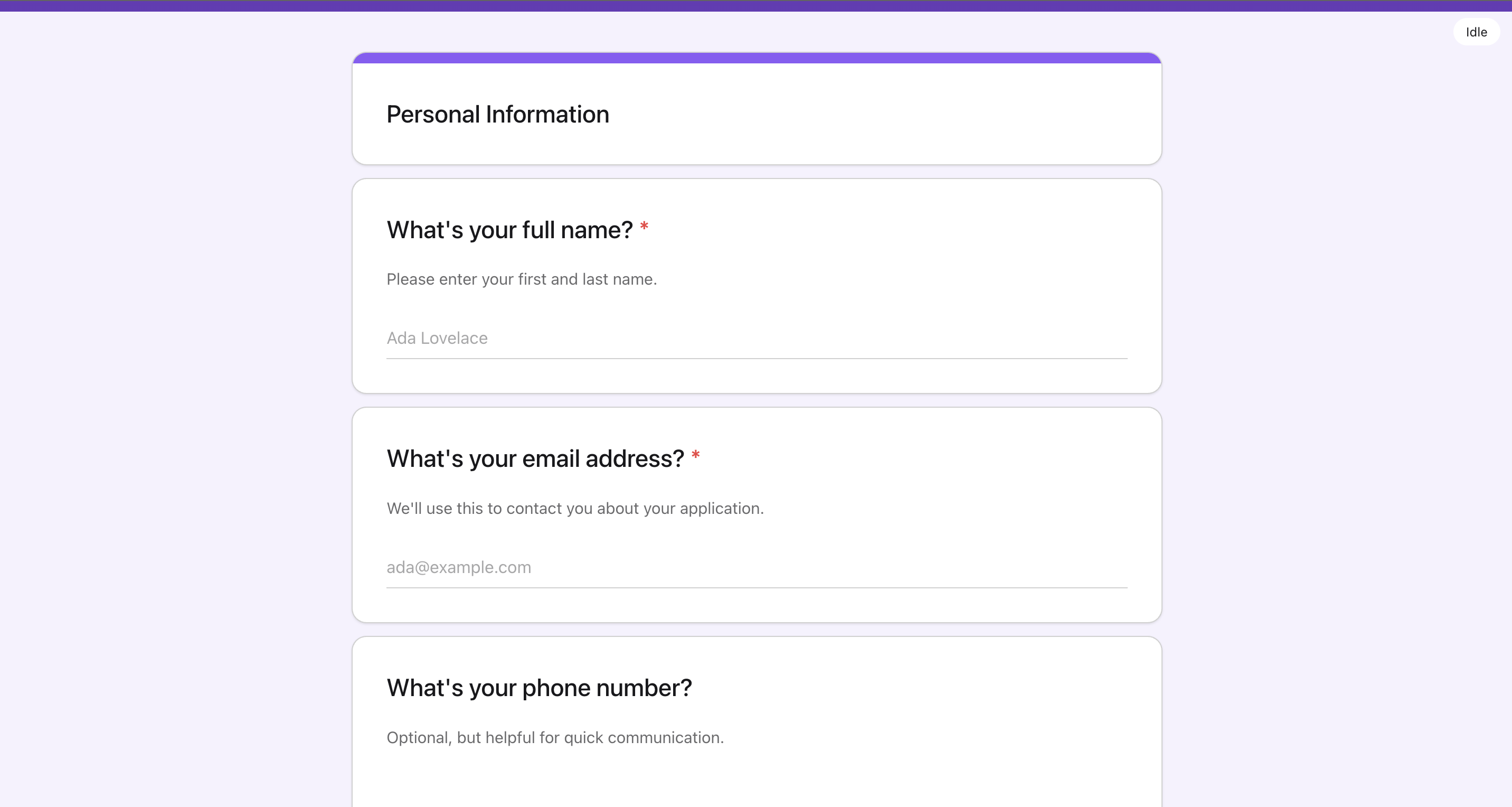
Overview
A straightforward form for familiar workflows
Use this template when you want a simple page where respondents can scan every question before they start.
It is best for surveys, registrations, internal requests, and intake forms where familiarity matters more than a guided step-by-step flow.
How it works
A simple path from prompt to form page
Tell TaylorDB what the form should include, then publish a clear page people already know how to use.
Lay out all questions clearly
Put the fields on one scrollable page so respondents can see the full form before submitting.
That makes it useful for surveys, registrations, and quick internal intake forms.
Preview the live form
Use the live preview to check the order, labels, and completion flow before sharing it.
The same template can be customized for different collection workflows.
Collect structured answers
Submissions stay organized as response data that can be reviewed, filtered, and routed into follow-up workflows.
The template keeps the form familiar for respondents and useful for the team after submission.